AI shopping on Shopify grew all year and is still small, Shopify says. On its 3 November 2026 earnings call, the company said orders from AI channels were up 3.3x on a year earlier and gave no count. Meanwhile, most of the machinery went live in your admin by default, for ChatGPT, Google AI Mode and Gemini, Microsoft Copilot, and Meta's Muse agent. Your year-end work is to review those defaults and fix the product data agents read.
I posted about most of these events as they happened. This piece reads them from the side of one Shopify store and answers three questions: how big AI shopping is for you right now, what Shopify switched on without asking, and what to do before 31 December.
Last verified: 12 November 2026. Shopify changes these settings and program terms often, so check the linked help pages before you act on any one of them.
How big AI shopping is for a Shopify store right now
What Shopify said, quarter by quarter
Shopify has reported a growth multiple for AI orders on every earnings call this year. It has never reported a size.
- 11 February 2026 (Q4 2025 call). Harley Finkelstein, Shopify's president, said orders from AI search had risen 15x since January 2025, adding, per the call transcript, "that's on a small base."
- 5 May 2026 (Q1 call). AI-driven traffic to Shopify stores was up 8x year over year, and orders from AI-powered searches up nearly 13x.
- 5 August 2026 (Q2 call). AI-referred traffic and orders each tripled year over year, PYMNTS reported.
- 3 November 2026 (Q3 call). AI traffic was up 2.6x year over year and orders 3.3x. Finkelstein said the volume "is still small," per the transcript.
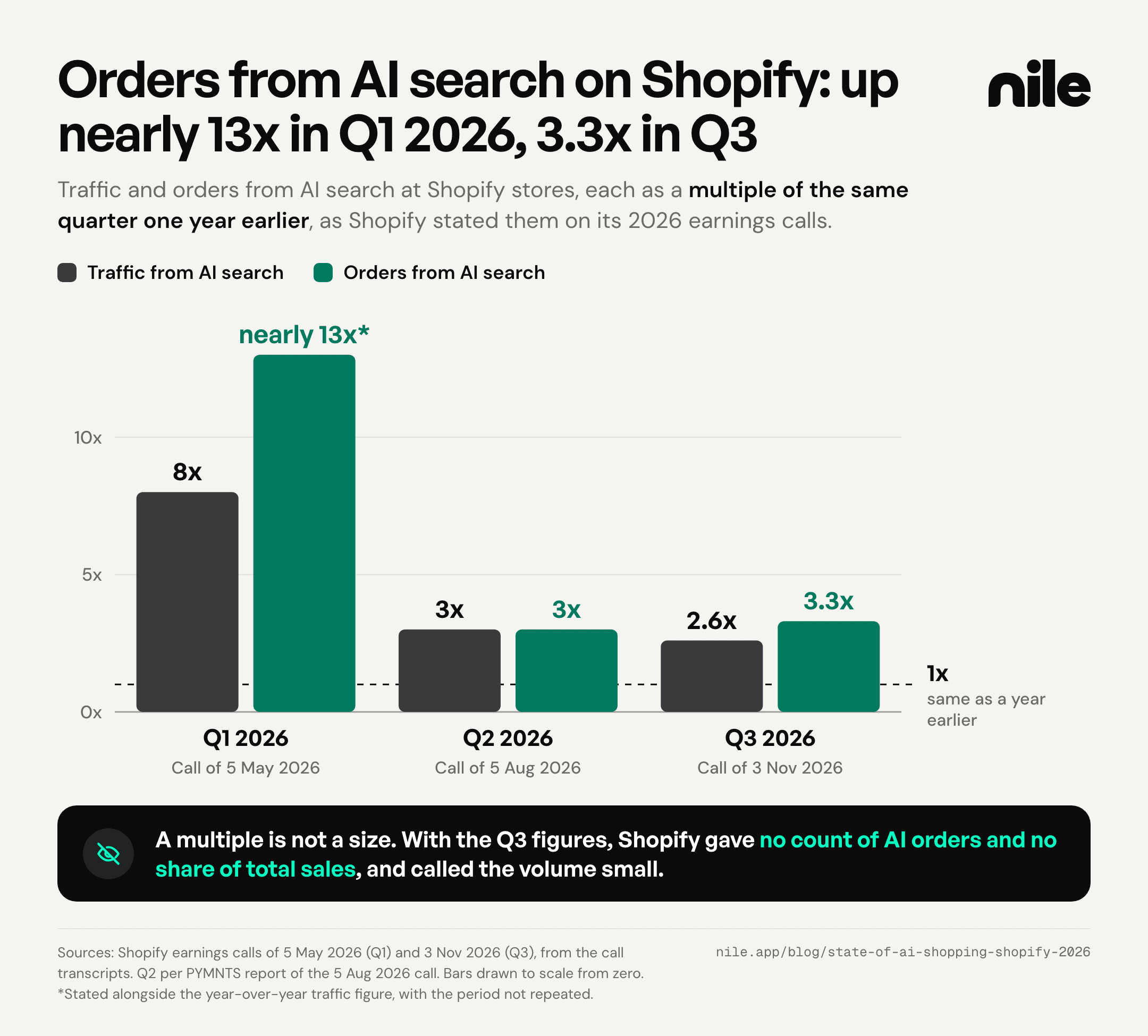
My read, which Shopify has not stated: a multiple that drops from 13x to around 3x while volume keeps growing is what a channel looks like once it is no longer new. Q3 orders from AI channels were still 3.3 times the Q3 2025 level, so a merchant who wrote AI shopping off because the headline multiple fell is reading the chart backwards.
What Shopify has not disclosed
Shopify's Q3 press release, filed with the SEC on 3 November, does not mention AI traffic or AI orders at all. The multiples come only from the call. There is no count of AI orders, no share of gross merchandise volume, and no definition of how a session gets classed as AI-referred. Without a base, a 3.3x multiple cannot tell you whether AI is, say, 0.1% of a typical store's orders or 5%.
The signals that matter more than the multiple
Three things Shopify said this year tell a merchant more about what to do than the growth rate does:
- Shoppers from AI land on product pages. In Q2, half of AI-referred sessions went straight to a product page, 2.5 times the rate for sessions from traditional search, per PYMNTS. In Q3, Finkelstein put it at 3x the rate of organic search. For this traffic, your product pages are the landing pages.
- The long tail gets found. "74% of AI-attributed purchases in Q3 were from outside our top 100 categories," Finkelstein said on the Q3 call.
- Structured product data converts better than scraped pages. Finkelstein said searches powered by Shopify Catalog, the structured copy of merchants' products that Shopify sends to AI channels, convert at 2x the rate of general AI search. Shopify's June developer Edition made the same comparison against AI search that relies on scraped data. My inference: if Catalog holds thin data about your products, they compete like scraped ones.
The market outside Shopify
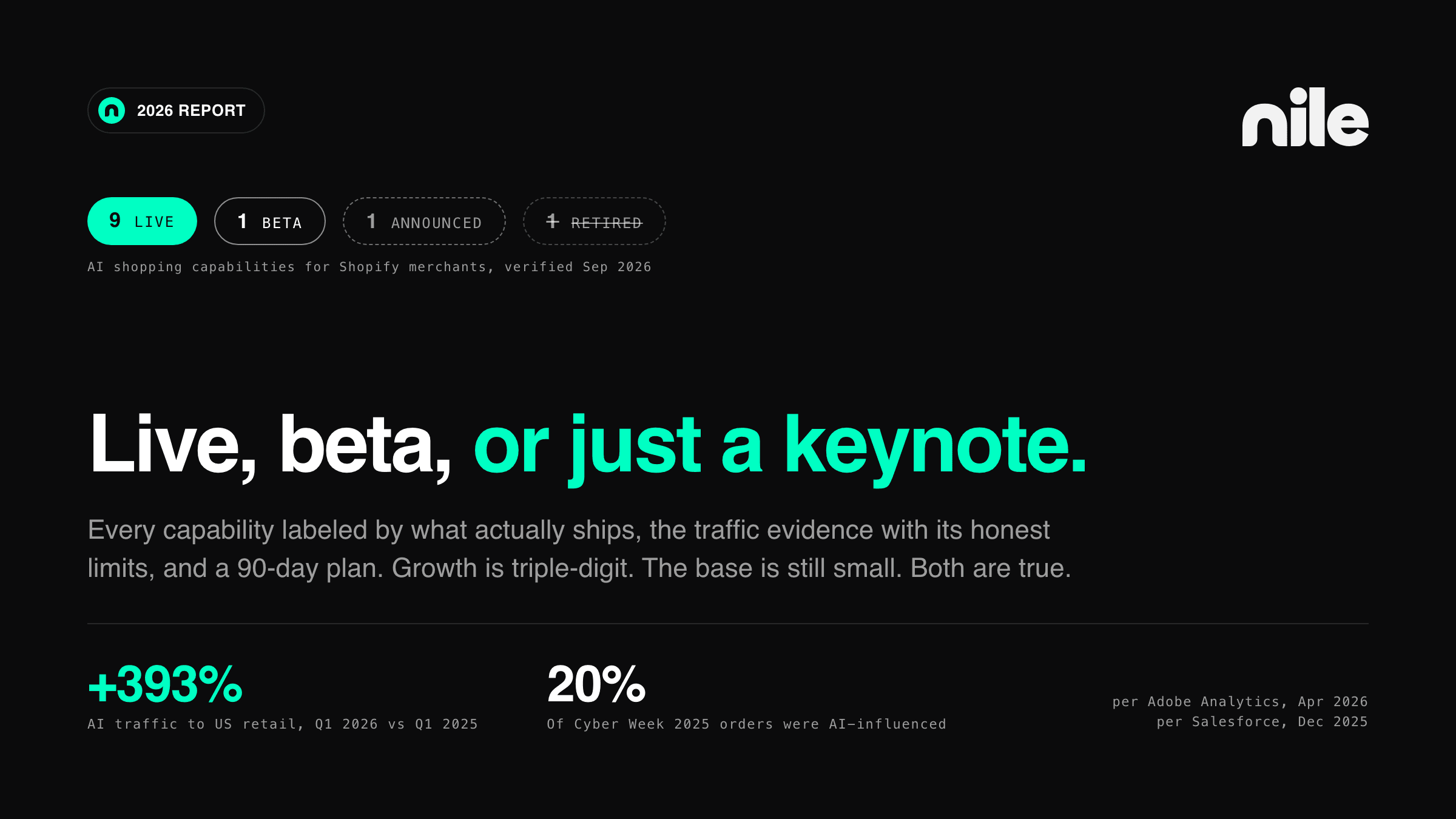
For US retail as a whole, Adobe's numbers point the same way. AI traffic to US retail sites rose 393% year over year in January through March 2026, and in March those visits converted 42% better than non-AI traffic such as paid search and email, after converting 38% worse a year earlier, PYMNTS reported, citing Adobe Digital Insights. For 1 November to 31 December 2026, Adobe forecasts AI traffic to US retail sites, counted as shoppers clicking a link from an AI service, up 130% year over year, and up 159% on Thanksgiving.
Neither Adobe release states what share of total retail traffic comes from AI, so the gap is the same one Shopify leaves: the growth is published and the size is not.
Your own number is in the admin
You do not need Shopify's base to know yours. Sales channels > Agentic has a performance report with sales, orders, online store sessions, and online store conversion for each AI channel, over any date range. Use it rather than Google Analytics for this channel, because Google Analytics does not fire on the direct checkouts described in the next section. How to separate what you can prove from what you can only estimate is in our attribution guide.
What Shopify switched on for you by default
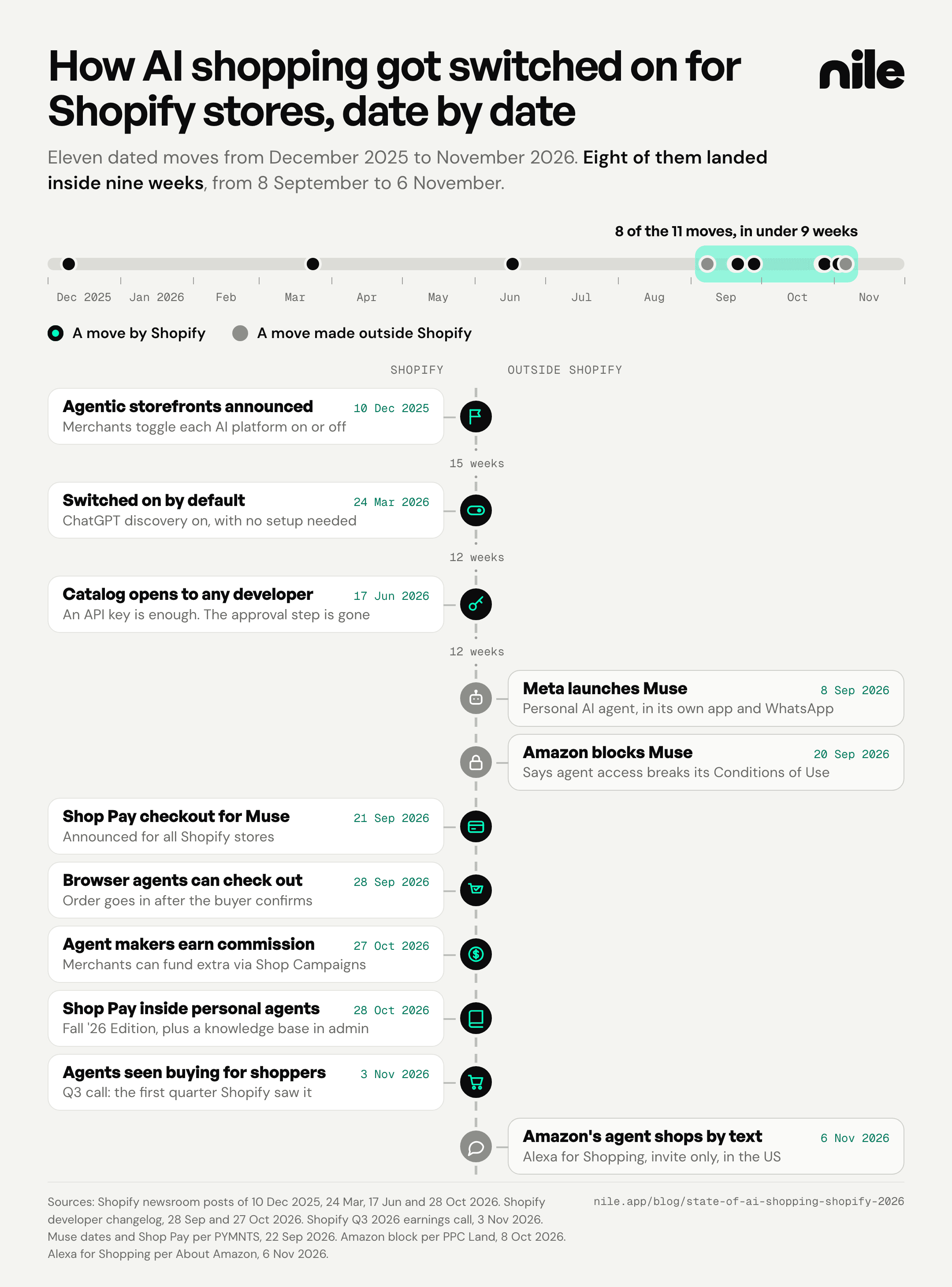
Shopify announced agentic storefronts on 10 December 2025 as a channel you toggle per AI platform. By 24 March 2026, its own newsroom said products "become discoverable in ChatGPT by default." Today the help center says agentic storefronts "is active by default for eligible stores." Most of what follows happened without a merchant decision.
The master setting
In Sales channels > Agentic, the default is a setting called Allow Shopify to manage for me. While it is on, Shopify's help page says:
- Every AI channel can read your products through Shopify Catalog
- Direct checkout is active on the channels that offer it
- You are auto-enrolled in new AI channels as they launch
Turn it off and the individual switches appear. Shopify says it can take up to seven days for catalog sharing to stop after you switch it off. And your products can still turn up in AI answers through ordinary web crawling, so the only way to hide a product completely is to set it to Unlisted, which also removes it from search engines and your own store search.
Where each channel checks out
- ChatGPT sends shoppers to your own checkout, in an in-app browser or a new tab. There is no checkout toggle. Your store must sell to US customers.
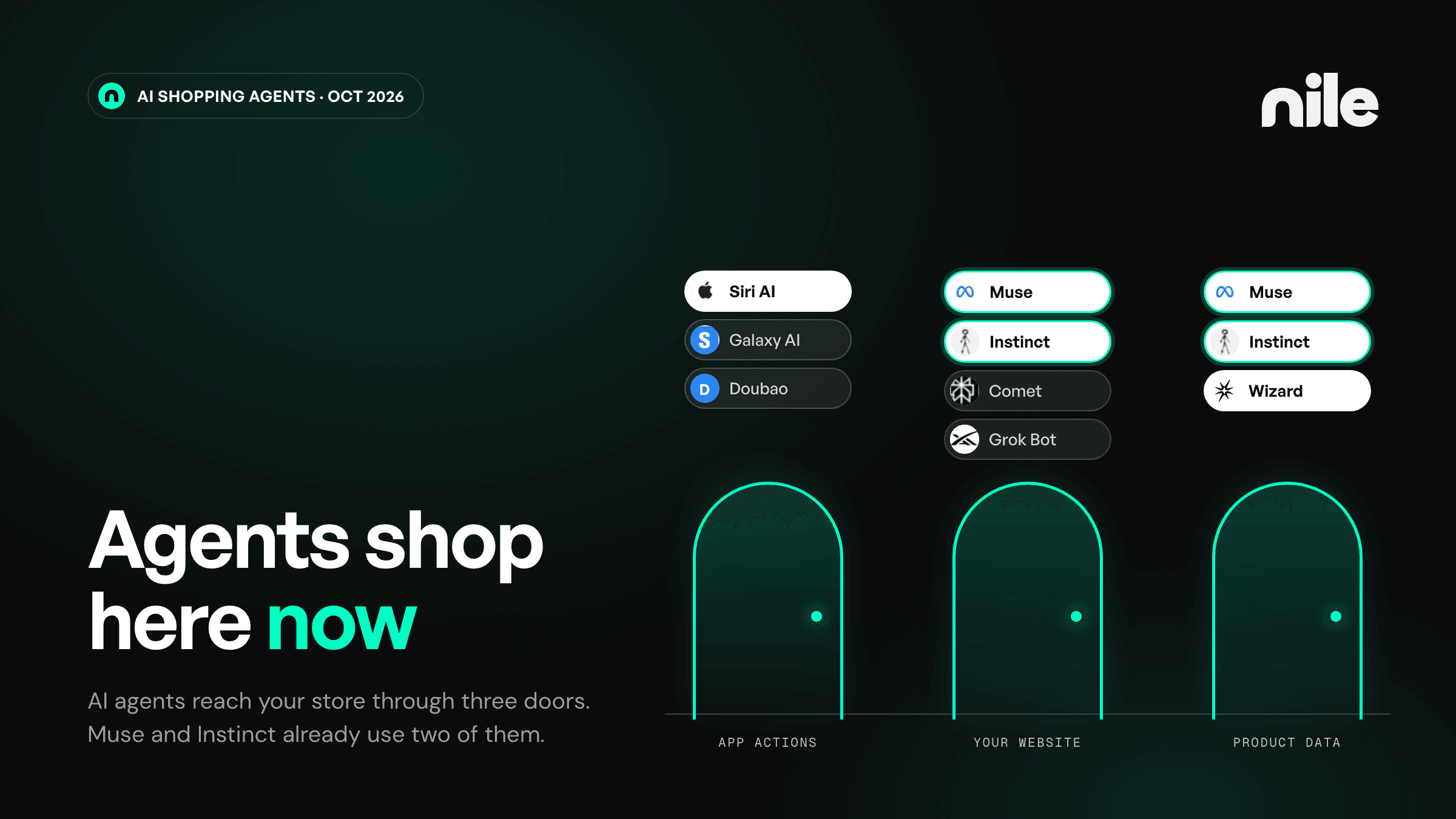
- Google AI Mode and Gemini check out inside the conversation by default, on a Shopify-powered direct checkout that is rolling out to shoppers in the US, Canada, and Australia. Products reach Google through Merchant Center.
- Microsoft Copilot checks out inside the chat by default, for US shoppers.
- Meta, including Muse, checks out on Meta's surface by default for shoppers in 11 countries. Muse orders arrive in your admin under a sales channel called Meta AI and Muse.
- Personal agents, the AI agents a shopper sets up to act on their behalf, can pay with Shop Pay when connected to Shop. You do not have to switch anything on, and those orders show attribution to the agent. Shopify's Fall '26 Edition on 28 October named Muse, Claude Duet, and Instinct as the first agents with Shop Pay checkout, and on the Q3 call Finkelstein listed xAI's Grok Bot among the agents whose checkouts Shopify supports.
- Browser agents got checkout tools on 28 September. Shopify's WebMCP functions let an agent in the shopper's browser update the checkout and submit it after the buyer confirms, and the changelog says they need no merchant configuration.
More general-purpose agents keep arriving. On 29 September OpenAI announced Dots, always-on agents for its $100-a-month Pro plan, CNBC reported, though OpenAI did not launch Dots as a shopping product. The same day, Stripe said Muse, Grok Bot, and Instinct use its Link wallet for agents, so Shop Pay is not the only way an agent can pay. How each kind of agent reaches your store is mapped in our guide to AI shopping agents.
What direct checkout changes in your setup
On Google AI Mode and Gemini, Copilot, and Meta, Shopify's help pages list the same gaps in direct checkout:
- Google Analytics and custom pixels do not fire. Only server-to-server checkout events do.
- Subscription-only products, bundles, customizable products, and B2B-only products cannot be bought there.
- Local delivery and pickup are not offered.
- Checkout blocks for upsells, loyalty, consent collection, and trust badges may not load.
If your margin depends on an upsell block in checkout or your attribution lives in a pixel, an AI order placed in direct checkout skips the pixel and may never show the upsell.
Fees are zero in the help pages but allowed by the terms
The help pages say there are no fees for these channels beyond standard payment processing. The binding Agentic Storefronts Supplemental Terms, last updated 6 October 2026, let Shopify "in its discretion, assess a fee" per channel, set out in your admin, and say a channel you disable after its promotional period gets no new promotional period when you turn it back on. We walked through what that means for switching channels off in what you control in Shopify's AI channels.
Agents can now be paid per sale
On 27 October, Shopify launched its promoted placements program, which its developer documentation labels an invite-led developer preview. Under it, Shopify pays AI agent developers a base commission of 0.3% on attributed purchases of eligible products, counted on a last non-direct click within seven days. Developers must label promoted results and tell users they may earn a commission.
In Shop Campaigns, a merchant funds a commission on its own products. If you run one with external platforms turned on, you raise the rate an agent earns on your products, but the extra is paid only when the buyer completes the purchase in the Shop app or on shop.com, and only for US campaigns in US dollars. Shopify says the rates may change before general availability.
So an agent's answer can now mix organic results with promoted ones, and the labeling rule is what lets a shopper tell them apart.
Amazon went the other way
On 20 September, Amazon began blocking Muse from buying on Amazon.com, with a popup citing its Conditions of Use. An Amazon spokesperson said third-party apps that buy for customers "should operate openly and respect service provider decisions," PPC Land reported. The next day, Shopify CEO Tobias Lütke announced Shop Pay checkout for Muse on all Shopify stores.
On 6 November, Amazon let a small group of invited US customers text Alexa for Shopping, its own agent, which can complete purchases and show products from other stores through Shop Direct. If you sell on both, Muse can buy from your Shopify store and cannot buy from your Amazon listing, where Amazon is putting its own agent in front of shoppers instead. How Amazon's approach plays out for brands is in our Amazon agentic commerce piece.
What to do before year end
Each step below is a setting or a report in your Shopify admin. None needs a developer.
Step 1: Decide on the master setting
Open Sales channels > Agentic. Decide whether Allow Shopify to manage for me stays on, which means every future AI channel enrolls you automatically. Write down which channels have direct checkout on today.
Step 2: Record a baseline before the holiday peak
Pull the agentic performance report for the last 90 days, by channel: sales, orders, sessions, conversion. Save it. In January you will want to know what the holiday changed, and you will need the before number.
Step 3: Check what direct checkout breaks for your catalog
List your subscription-only products, bundles, and customizable products, which direct checkout cannot sell. Check whether an upsell, loyalty, or consent block matters to your margin or your compliance. If one does, consider turning off direct checkout on that channel for peak, so AI shoppers finish on your own checkout.
Step 4: Publish your knowledge base
The knowledge base in Sales channels > Agentic holds the facts agents get about your store: return windows, shipping destinations, gift services. Facts Shopify draws from a scan of your storefront stay unpublished until you publish them. Before peak, check holiday shipping cutoffs and return terms, then publish.
If you used the old Knowledge Base app and had more than 1,000 facts, add the extra facts and overrides by hand before the app is deprecated on 15 January 2027.
Step 5: Run the search preview on your best queries
The same admin section has a search preview that shows how your products might rank in Shopify Catalog for any query, with a listing quality score. It grades five things: description completeness, image coverage, verified reviews, variant and option completeness (including variant names full of acronyms or numbers), and store policy completeness. Run it on the queries you most want to win, using a list built the way this target-query guide describes.
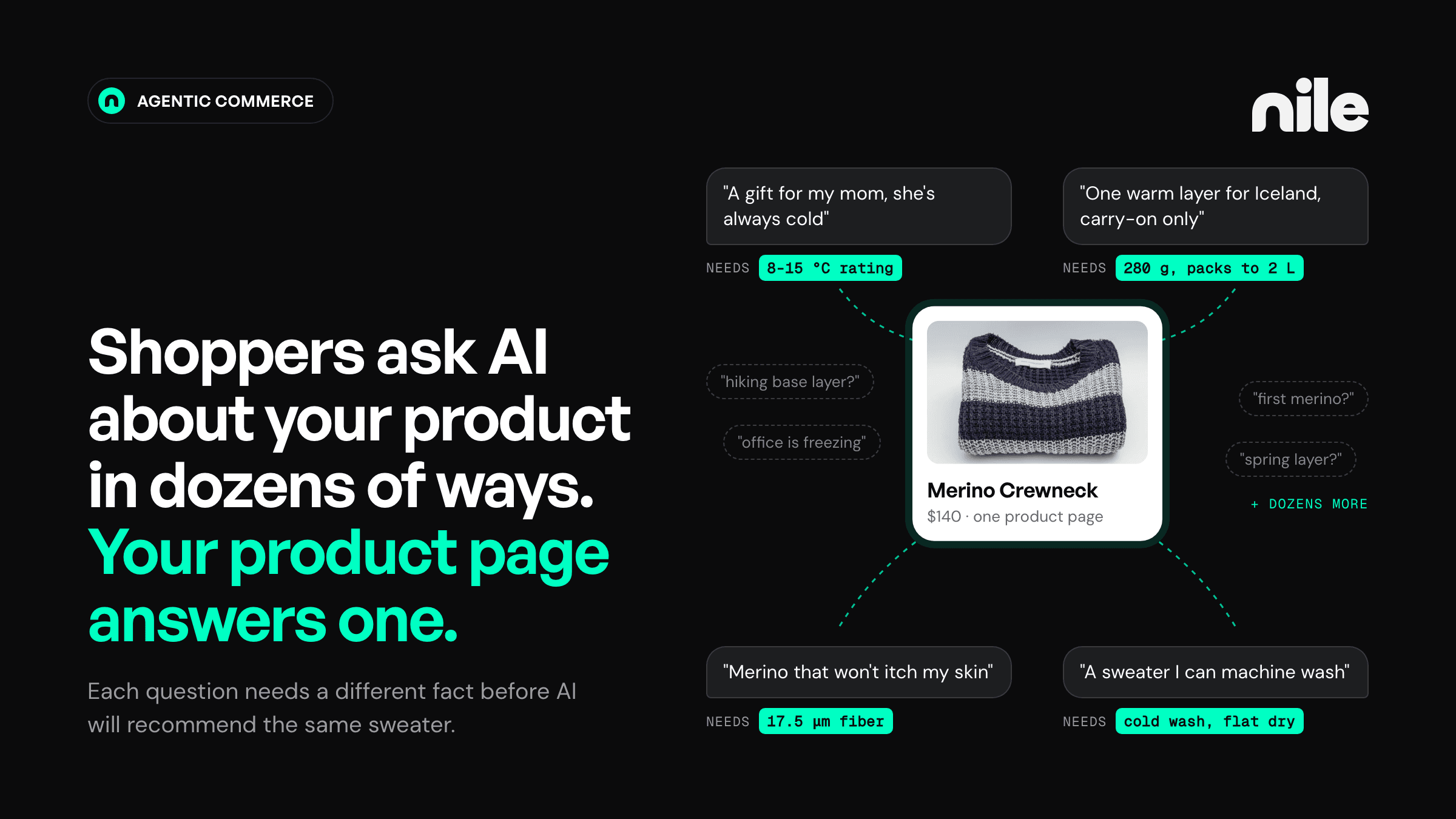
The weak spot is usually the attributes. In the catalogs we have processed at Nile, display data such as name, price, and images is nearly always complete, but the attributes a specific shopping request filters on are present for fewer than half of products. That is the gap between being listed and being chosen, and what a product page needs to close it is in our piece on the PDP for AI shopping.
Step 6: Decide on promoted placements, and log agent orders separately
If you run Shop Campaigns, check whether external platforms are turned on, because that now decides whether you fund agent commissions. Whatever you choose, keep three lines apart in your reporting from the first order: AI channel orders, personal agent orders (each attributed to its agent in your admin), and orders that came through a promoted placement. The Muse sales channel and agent attribution make this possible today.
The product data part of this list is what Nile does for brands, as the product context layer: it turns a catalog into the attributes and context AI answer engines and personal agents filter on, then tracks which AI surface each order came from. If you want to see how your catalog reads to an agent before the holiday peak, you can connect it to Nile. Nile is commission-only, so there is no fee until it earns you a sale.
Frequently asked questions
How much of a Shopify store's sales come from AI shopping in 2026?
Shopify has not said. On its Q3 2026 earnings call it reported AI traffic up 2.6x and AI orders up 3.3x on a year earlier and described the volume as small, without giving a count or a share of sales. For your own store, the agentic performance report in Sales channels > Agentic shows sales, orders, sessions, and conversion per AI channel.
Which AI channels does Shopify turn on by default?
Under the default Allow Shopify to manage for me setting, every available AI channel gets your products through Shopify Catalog, including ChatGPT, Google AI Mode and Gemini, Microsoft Copilot, and Meta's Muse. Direct checkout is active where the channel offers it, and you are auto-enrolled in new AI channels as they launch. Shoppers can also pay with Shop Pay through personal agents they connect to Shop.
Can I turn off Shopify's AI channels?
Yes. In Sales channels > Agentic, turn off Allow Shopify to manage for me, then switch off catalog access or direct checkout per channel, or opt out of auto-enrollment. Shopify says it can take up to seven days for catalog sharing to stop, and products can still appear in AI answers through ordinary web crawling. Setting a product to Unlisted hides it from AI channels and from search engines.
Does Shopify charge fees for selling through AI channels?
Not today. Shopify's help pages list no fees for these channels beyond standard payment processing. The Agentic Storefronts Supplemental Terms, last updated 6 October 2026, let Shopify assess a fee per channel at its discretion, shown in your admin, and say a channel disabled after a promotional period does not get a new one when re-enabled.
What are Shopify's promoted placements for AI agents?
An invite-led developer preview, opened on 27 October 2026, in which Shopify pays AI agent developers a 0.3% base commission on attributed purchases of eligible products. Merchants running Shop Campaigns with external platforms turned on can add to that rate, paid only when the buyer completes the purchase in the Shop app or on shop.com. Developers must disclose that they may earn a commission. Shopify says rates may change before general availability.
Sources
- Shopify Q3 2026 Earnings Call Transcript — Webull (accessed 2026-11-12)
- Shopify (SHOP) Q1 2026 Earnings Call Transcript — The Motley Fool (accessed 2026-11-12)
- Shopify (SHOP) Q4 2025 Earnings Call Transcript — The Motley Fool (accessed 2026-11-12)
- Shopify's AI Traffic Triples as Shoppers Skip the Search Bar — PYMNTS (accessed 2026-11-12)
- Shopify third-quarter 2026 financial results (Form 8-K, Exhibit 99.1) — U.S. Securities and Exchange Commission (accessed 2026-11-12)
- Shopify revenue gains 32% to $3.7bn as AI-referred orders rise 3.3x — PPC Land (accessed 2026-11-12)
- AI Traffic Outperforms Paid Search for US Retailers, Adobe Says — PYMNTS (accessed 2026-11-12)
- Adobe: U.S. Holiday Shopping Season to Hit Record $275.1 Billion Online, Rising 6.7% YoY — Adobe (accessed 2026-11-12)
- Shopify agentic storefronts — Shopify Help Center (accessed 2026-11-12)
- Managing agentic storefronts — Shopify Help Center (accessed 2026-11-12)
- Selling on Meta — Shopify Help Center (accessed 2026-11-12)
- Answering customer questions with your knowledge base — Shopify Help Center (accessed 2026-11-12)
- Shopify Agentic Storefronts Supplemental Terms of Service — Shopify (accessed 2026-11-12)
- Millions of merchants can sell in AI chats — Shopify (accessed 2026-11-12)
- Exponential: Shopify's Fall '26 Edition — Shopify (accessed 2026-11-12)
- WebMCP support for checkout — Shopify developer changelog (accessed 2026-11-12)
- Earn with promoted placements — Shopify developer documentation (accessed 2026-11-12)
- Promoted Placements beta now includes Shop Campaigns — Shopify developer changelog (accessed 2026-11-12)
- Shopify Brings Shop Pay Checkout Solution to Meta's Muse AI Agent — PYMNTS (accessed 2026-11-12)
- Amazon blocks Meta's Muse AI agent from shopping on its site — PPC Land (accessed 2026-11-12)
- Texting with Alexa for Shopping — About Amazon (accessed 2026-11-12)
- OpenAI follows Meta into the red-hot market for personal agents. But will users pay? — CNBC (accessed 2026-11-12)
- Helping personal agents shop more intelligently and reliably with Link — Stripe (accessed 2026-11-12)
- xAI Debuts 'Grok Bot' AI Teammates You Can Give Real Work To — iPhone in Canada (accessed 2026-11-12)